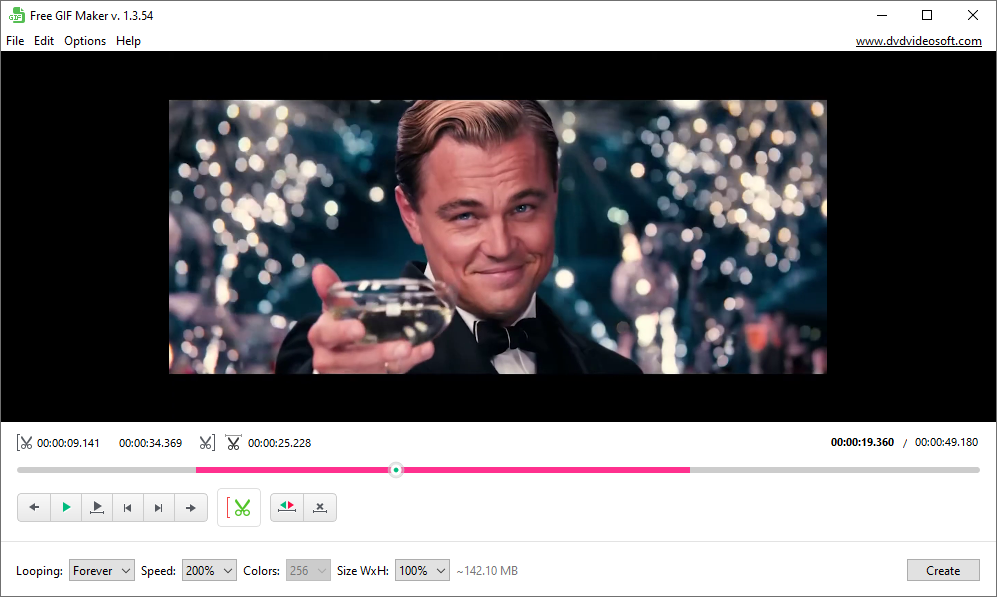
This is your go-to app for creating eye-catching GIF animations.
Convert MP4 to GIF, trim clips from longer videos and turn them into a looping animation.
Save any YouTube video to GIF effortlessly.
Turn video into GIFs that people love to share
- make communication more personal and fun by adding animations
- replace text replies with GIFs to show emotion and personality
- add GIFs to tutorials to explain complex ideas visually
- create short, looping GIFs for social media posts
Why choose Free GIF Maker?
Simple, beginner-friendly interface
GIF Maker was specially designed to satisfy the demand of different users, from professional designers to amateurs. Even beginners can use the app like a pro. The only limit is your imagination.
Wide video format support
The program works with most popular video formats, including MP4, AVI, MKV, FLV, MPG, WEBM, WMV, 3GP, and more. Just add your video, select the moment you like, and convert it into a GIF.
Flexible editing options
Creating a GIF doesn’t have to be complicated. You can set precise start and end points, сhoose how many times the GIF loops (or disable looping entirely), then preview your selection before creating the final GIF.
Safe, reliable, and truly free
This free program contains no spyware or adware. It's clearly free and absolutely safe to install. It’s a desktop app, so your videos stay on your computer. Nothing is uploaded or stored online. Use the app as often as you like.
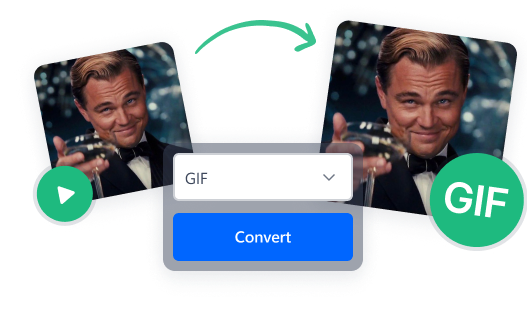
Easy video-to-GIF conversion
Creating your first GIF takes only a minute. Add a video file, select the best moment, and turn it into a looping animation. Finished GIFs can be shared on social media, embedded into websites, or added to presentations and tutorials without any hassle.
Create GIFs for any occasion
Want to send a happy birthday GIF instead of a plain message? Need a short animation for a tech guide or a funny GIF for a meme? All you need is a video and a good idea. Trim the perfect moment, convert it, and share your creation.
How to make a GIF on Windows:
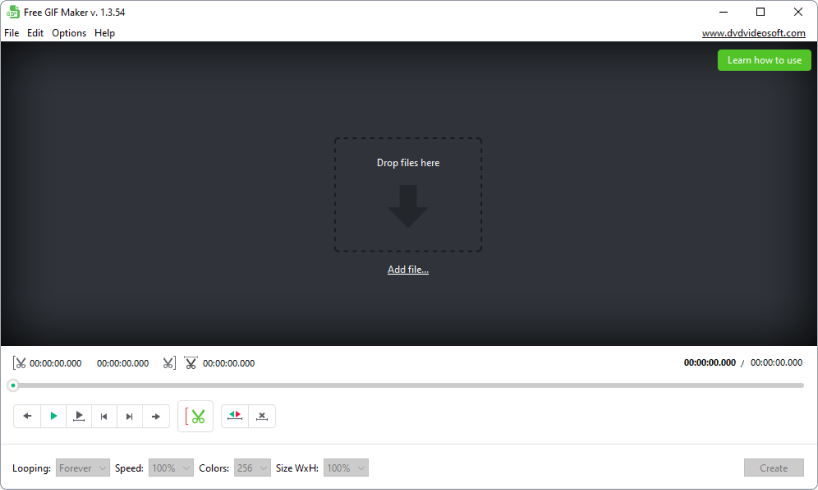
- Download and install Free GIF Maker.
- Add the video file you want to turn into a GIF.
- Select the start and end points.
- Adjust settings like speed, resolution, and looping.
- Click Create and enjoy your new GIF.
For advanced tips, check out our full GIF creation guide.
Frequently asked questions:
What does GIF stand for?


GIF stands for Graphics Interchange Format. It’s a web-friendly image format that supports up to 256 colors and strong compression. GIFs are universally supported across browsers, devices, and platforms. They work on websites, social media, messaging apps, email clients, and presentations. No special software or player required for playback.
Is GIF animation worth it in 2026?
Absolutely. Although GIFs were first introduced in 1987, they’ve remained relevant thanks to platforms like Giphy, Reddit, X (formerly Twitter), and Tumblr. Today, GIFs are widely used in digital marketing, social media, and web design because they’re easy to share, lightweight, and universally supported.
Can I make a GIF from a YouTube video?
Yes. YouTube is a great source for GIF ideas. Simply download the video using DVDVideoSoft YouTube downloader, then add it to Free GIF Maker. Trimming and converting a YouTube video to GIF is fast and straightforward.
How to convert MP4 to GIF?
MP4 is one of the most common video formats, and Free GIF Maker fully supports it. Add your MP4 file, select the desired clip, and convert it to GIF in just a few clicks.
Where can I share my GIFs with the public?
Once your GIF is ready, you can upload it to platforms like Giphy or Tenor. These services make it easy to share GIFs with the public and use them across messaging apps and social networks.
When should I use a GIF instead of a video?
GIFs are perfect for short, looping moments that don’t need sound, like reactions, tutorials, or quick demonstrations. Unlike videos, GIFs autoplay, loop naturally, and work everywhere. Videos are better for longer content or when audio is important.
Why choose a desktop GIF maker instead of an online one?
A desktop GIF maker is faster, more reliable, and more private. There are no upload limits, no waiting for files to process online, and no risk of your videos being stored on external servers. Everything stays on your computer.
How to make a better GIF?
The best GIFs are short, clear, and focused. Choose a moment that tells a story in just a few seconds, avoid unnecessary movement, and make sure the loop feels smooth. Viral GIFs are usually about 2-5 seconds.